

Still selling at sixteen minutes to midnight.
Shoppers who arrive after hours still get their answer, find what they’re after and add it to the basket.
We measure how the site is used with Google Analytics 4; no script from another company is loaded into your browser. If you say no, page views are still counted, but without identifying you: no cookie is written and your IP address is not sent.
Your browser sends the Global Privacy Control signal. We treat it as a binding refusal: both permissions are off and this window cannot switch them on.
You can change your choice at any time from the preferences link at the foot of every page. Privacy policy

Shopwalker AI greets every visitor to your site the way your best sales assistant would. It talks with them, finds and shows what they’re after and adds to the basket with their OK.
A sales assistant greets every customer who walks into your shop. Who greets the ones who land on your site?
Shopwalker AI brings that welcome to your site: it talks with your shopper, asks what they’re after, finds and shows it and adds it to the basket with their OK.
The one talking with you now is that assistant. This is how it talks with your customers too.
AI Shopping Adviser & Customer Support.
Multiply your best sales assistant: with every shopper at once, at any hour.
Shopwalker AI talks with your shoppers, works out what they need, suggests the product and option they’re after, answers delivery and returns questions and adds to the basket with their OK.
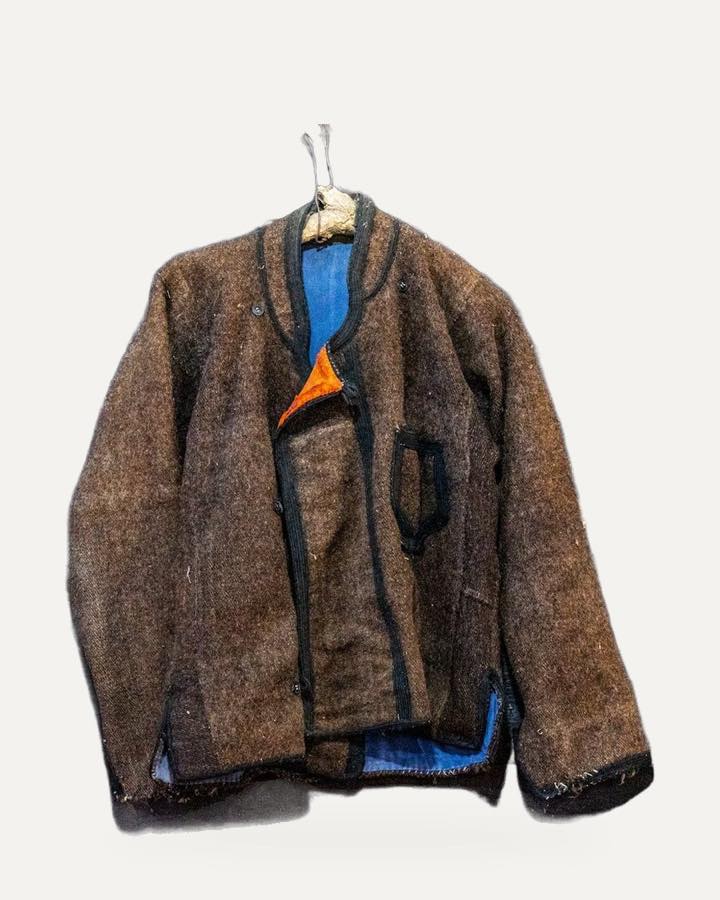
In the sample scene a shopper is after a coat that keeps the rain out. The assistant suggests a parka from the catalogue, opens its page, marks the waterproofing line in the description, picks the colour and adds it to the basket with the shopper’s OK.
What your customers ask most:
‘Will it be dispatched tomorrow?’‘How long do I have to return it?’‘What’s the difference between these two?’‘Does it come in another colour?’The assistant on this page is the same product. Tap the orb in the corner and ask your first question about your own shop: set-up, platforms or pricing.
Think of the best sales assistant in your shop. Shopwalker AI brings that experience to every visitor on your site.
Think of the best sales assistant in your shop. They listen, show customers what they’re after and stay with them while they decide. Shopwalker AI brings that experience to every visitor on your site. All at once, at any hour.
A sale is won the moment a question comes to mind. A shopper who gets the answer in that second decides.
A sale is won the moment a question comes to mind. A shopper who gets the answer in that second decides.
In online shopping, seven in every ten baskets stop short of checkout.
The moment of decision.
‘Will it keep the rain out?’ ‘Which size should I get?’ A shopper who gets the answer in that second decides. A shopper left waiting starts to think again.
Seven in ten baskets are still waiting short of checkout. Growth starts with the shoppers already on your site.
The same question can end two ways. When the answer has to wait, the decision is put off. When it comes that second, the assistant marks the line, opens the size guide and adds to the basket with the shopper’s OK.
Same question, two endings. When the answer has to wait, the shopper searches the description, is torn between two sizes and puts the decision off.
When the answer comes that second, the assistant marks the line, opens the size guide and adds to the basket with the shopper’s OK.
Same question, two moments.
When the answer has to wait, the shopper searches the description to see whether the coat keeps the rain out, is torn between two sizes and decides to look later. The decision was put off.
When the answer comes that second, the assistant answers and marks the line, opens the size guide, gets the shopper’s OK and adds to the basket. Payment stays on your checkout.
Not a chat box. An assistant that shops alongside your customer.
Talk to the demo shopYour assistant listens to your shopper, suggests the product that fits the need and shows the answer on the page. It answers delivery and returns questions from what’s on your site and adds to the basket once the shopper says yes.
The shopper asks by voice or text.
The assistant shows the answer on the page and marks the line that matters.
And once the shopper says yes, it adds to the basket. Payment always stays on the shop’s own checkout.
Shoppers ask by voice or text, in their own words.
It suggests the product and option from your catalogue that fit the need.
It marks the answer on the page and takes the shopper to the page they need.
It answers delivery, returns and product questions using what’s on your site.
Only with the shopper’s OK. Payment always stays on your checkout.
Your assistant speaks for your brand at any hour. It answers after hours, takes on the everyday questions and says only what’s on your site. It sets itself up, leaves your design as it is and works under the name you choose.
The assistant joins your team: it keeps answering after hours and takes on the everyday questions.
There’s no knowledge base to build and no training to run. Your design stays as it is, and the assistant speaks under the name you choose.
The assistant that joins your team.
Your dashboard shows the counts of conversations, answered questions, items added to the basket with the shopper’s OK and conversations handed to your team, along with the most-asked topics and the topics your assistant found no answer for. It keeps the topic and the count; the questions themselves are not stored.
On your dashboard you see which topics come up most and which ones the assistant found no answer for. It keeps the topic and the count; the questions themselves are not stored.
Sales dashboard.
See which topics come up most, how many items went into the basket with the shopper’s OK and which topics your site has no answer for. All on one screen, as topics and counts; the questions themselves are not stored.
A sample dashboard screen: the last seven days’ counts of conversations, answered questions, items added to the basket with the shopper’s OK and conversations handed over, with the most-asked topics and the topics with no answer. The numbers are examples.
How many conversations, how many questions answered, how many items added to the basket with the shopper’s OK and how many conversations handed to your team.
Let the topics shoppers ask about most shape your product pages and campaigns.
When your assistant can’t find an answer on your site, the topic shows up on your dashboard. Add it to your page and the assistant answers from there next time.
When a shopper asks their own AI assistant, the answer comes from your catalogue, with a link to your product page. Buying happens on your site, and your platform works out the price.
When a shopper asks their own AI, the answer comes from your catalogue. Buying happens on your site.
AI search.
Once you switch it on, Shopwalker AI opens your shop to questions from AI assistants. The assistant that asks gets its answer from your catalogue, with a link to your product page. Buying happens on your site.
An example: a shopper asks their own AI assistant for a khaki parka to wear in the rain. The assistant asks your shop and shows the parka from your catalogue, with a link to its product page.
The shopper asks about a product in the chat on their phone.
It tells the AI about your shop and products the way it would tell a customer.
Price and stock from your catalogue.
The answer comes from your catalogue. Buying happens in your shop, and your platform works out the price.
The same assistant answers on WhatsApp, Instagram and Messenger too. Conversations from messaging channels sit on your dashboard, and your team can take over any of them.
The same assistant answers on WhatsApp, Instagram and Messenger too. Your team can take over a channel conversation from the dashboard.
If you have physical shops too, we can open the scenes on the Vision page together.
When a customer writes on WhatsApp, Instagram or Messenger, the same assistant answers: same catalogue, same knowledge.
Conversations from messaging channels sit on your dashboard, and your team can take over any of them. A conversation on your site is kept only when the shopper hands it over to your team.
We’d rather show you than tell you: our demo shop is a sample outerwear shop, and the assistant there is the very product we set up for retailers.
We’d rather show you than tell you. Our demo shop is a sample outerwear shop, and the assistant there is the very product we set up for retailers.
In a moment, if you like, we can pick a coat there together: you tell me what you need, I suggest one and add it to the basket with your OK.
Try it.
Our demo shop is a sample outerwear shop. The assistant you’ll meet there is the very product we set up for retailers. Ask it what your own customers would ask.
Tip:Ask for something that isn’t on the site. It will say ‘I couldn’t find that on the site’.
Set-up, payment or customer data: whichever is on your mind, just ask me.
Frequently asked questions.
Everything the assistant does is on the Features page.
Explore the featuresYou switch it on from your shop platform’s own set-up flow. There are no passwords, API keys, knowledge base or training to deal with: your assistant reads your catalogue and pages itself.
It works with IdeaSoft. Sites without a platform connect through the Web SDK.
Your assistant answers only from your site and your catalogue. When it can’t find something it says so, and the topic shows up on your dashboard. If something on your site is wrong, correct the page and the assistant reads the new version.
It adds to the basket with the shopper’s OK, and that is where it stops. Payment stays on your platform’s own checkout, and your platform works out the price and any discount.
Voice is used only when the shopper starts talking, and only to turn speech into text. Nothing is recorded. Your assistant is switched off on checkout pages and card details stay out of its sight. A shopper’s preferences stay on their own device.
The monthly and yearly prices of the Standard plan are on the Pricing page. Enterprise works by quote.
It is the same assistant we set up for retailers. It answers your questions from what’s written on this site and takes you to where the answer is. In the demo shop you can try it the way your customers would: it suggests products, compares them, picks the colour, opens the size guide and adds to the basket with your OK.
Shall we pick a coat together in the demo shop, or do you have a question about your own shop first?
Welcome customers online the way you welcome them in your shop.
Shall we pick a coat together in the demo shop, or do you have a question about your own shop first?
Open the demo shop now and ask what your own customers would ask. No sign-up needed. You’ll see how it would work on your site from the first conversation.